TL;DR

Get pool and patio gear delivered free — and shop member deals
- Fast, free delivery on millions of items
- Access to Prime Big Deal Days deals on October 6–7
- Prime Video, Amazon Music and more included
Prebuilt AI workstations offer immediate deployment, validated thermals, and support, often at a higher cost. Building your own gives control and customization but takes time and expertise. Recent market shifts mean there’s no clear winner — only the right choice for your priorities.
Imagine you’re ready to jump into AI projects — training models, running inference, or exploring new creative tools. The question isn’t just what specs to get, but how to get them. Do you build your own machine, pulling every lever for control and customization? Or do you buy a prebuilt, saving time and hassle? That choice has become less clear in 2026, thanks to market shifts and new demands.
This article breaks down the real tradeoffs — from cost and speed to support and upgradeability — so you can decide what fits your workflow best. Whether you’re a hobbyist, a professional, or part of a team, understanding these factors will help you pick the right path without regrets.
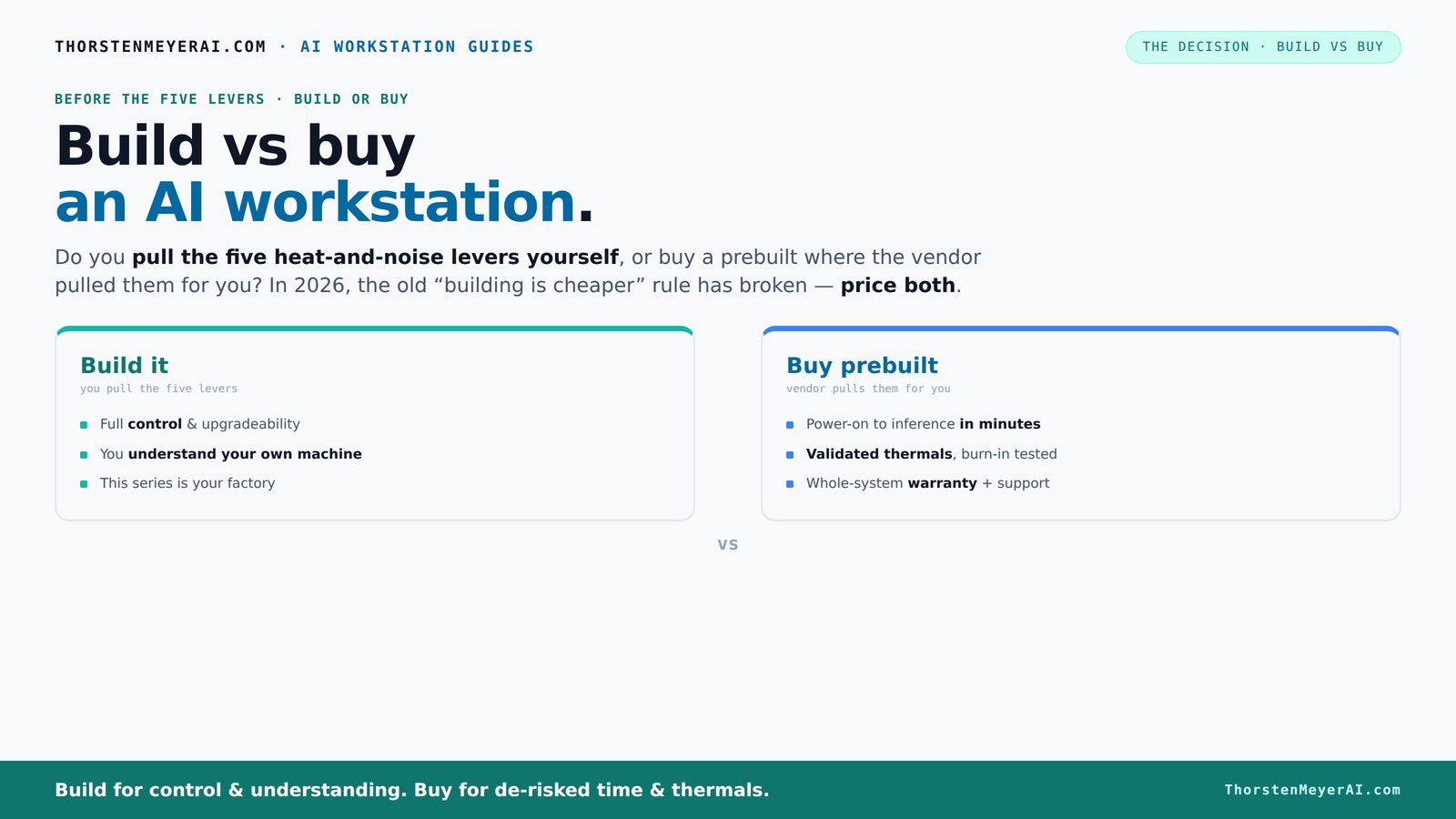
Build vs buy
an AI workstation.
The real question behind this whole series: do you pull the five heat-and-noise levers yourself, or buy a prebuilt where the vendor pulled them for you? And in 2026, the old “building is cheaper” rule has broken. Match your situation in Part 3.
Key Takeaways
- Component shortages and market prices in 2026 often make prebuilt AI workstations as cost-effective as DIY builds — always compare prices today.
- Prebuilts include validated thermals, support, and warranties, reducing risk but limiting upgrade flexibility.
- Building your own machine offers maximum control over hardware choices, cooling, and future upgrades, at the expense of time and troubleshooting.
- Workload type matters — training, inference, or creative AI — influence which option delivers the best performance per dollar.
- Your choice depends on whether speed, support, and simplicity or customization and control matter most for your needs.
As an affiliate, we earn on qualifying purchases.
Why Building Your Own AI Workstation Is No Longer Always Cheaper
Building used to be the obvious money-saver. But in 2026, component shortages and price spikes have changed the game. DDR5 RAM, high-end GPUs, and fast SSDs now cost more than ever, making DIY builds often more expensive than prebuilt options.
For example, what used to be a $1,000 build now easily climbs past $1,250 — just for parts, before OS or assembly. Meanwhile, big vendors like Lambda or Puget bought components in bulk before prices shot up, allowing them to offer systems at prices that often beat DIY costs. The old rule — "build cheaper" — now needs a recheck for your exact configuration. Check out our guide on cost-effective AI setups.
So, before you assume DIY saves money, always compare the real prices today. The market has shifted, and what once was a no-brainer no longer holds true across all setups.
Beyond raw cost, consider the implications: DIY builds require significant time investment, troubleshooting skills, and ongoing maintenance. If your priority is rapid deployment or reliability, the hidden costs of time and potential errors in a DIY system can outweigh the initial savings. Conversely, if you value tailored hardware and are comfortable with hardware management, building still offers a level of customization that prebuilt systems can't match.
The Heat and Noise Levers: Who Controls the Thermals?
Cooling and noise management are the secret sauce for high-performance AI workstations. Building your own gives you the power to undervolt GPUs, tune fans, and pick case airflow — all tailored to your workspace. This control can lead to quieter environments and more efficient thermal performance, which directly impacts the system's longevity and performance stability.
Buying prebuilt means the vendor handles this. They test, validate thermals, and often include water-cooling for quieter, cooler operation. This validation ensures that the system maintains high loads without thermal throttling, which is crucial for sustained AI workloads that can run for hours or days at a time.
Understanding the thermal management differences is critical because thermal issues can silently degrade performance, shorten component lifespan, or cause system crashes. DIY builders can achieve excellent thermal performance but require time, expertise, and ongoing tuning to maintain it. Prebuilts, on the other hand, offer peace of mind through tested, validated thermal solutions, often optimized for specific workloads. The tradeoff is less flexibility in tweaking thermal settings post-sale.
Ultimately, if you're willing to invest time in tuning your system, DIY offers granular control. If you prefer reliability and immediate performance, a prebuilt with validated thermals provides that assurance without the extra effort.
Cost Comparison: Upfront Price vs. Hidden Expenses
Let's break down the real costs. Building your own machine might seem cheaper upfront, but don’t forget the time spent sourcing parts, troubleshooting, and testing. That’s a hidden expense. Prebuilt systems come with a premium, but they include validation, warranty, and support, which can save you time and stress.
Here’s a quick comparison:
| Aspect | Build It Yourself | Buy Prebuilt |
|---|---|---|
| Initial Cost | Lower (but rising with current shortages) | Higher, includes assembly & validation |
| Time & Effort | High — sourcing, testing, troubleshooting | Minimal — ready to go |
| Support & Warranty | Limited — DIY troubleshooting | Included — vendor support |
| Upgrade Flexibility | High — easy to swap parts | Limited — proprietary parts may block upgrades |
Beyond immediate costs, consider the long-term implications. DIY systems may require frequent upgrades or repairs, which can add to total ownership costs over time. Learn more about build vs buy options. Prebuilts often include warranties and support plans that mitigate these expenses, providing peace of mind and predictable costs. Therefore, the decision isn't solely about initial price but about total cost of ownership, factoring in maintenance, support, and potential downtime.
Frequently Asked Questions
Is it cheaper to build or buy a prebuilt AI workstation?
It depends. In 2026, component shortages have pushed up DIY costs, making prebuilt systems often just as affordable or even cheaper when considering time and support. Always compare the actual prices for your specific setup.Will a prebuilt have worse performance for the money?
Not necessarily. Many prebuilts are optimized for AI workloads, with validated cooling and power management. Sometimes, they provide better reliability and thermal performance than a DIY if you lack the time or expertise to tune manually.Which option is better for AI training versus inference?
For training large models, control over GPU VRAM and cooling is key — building allows precise customization. For inference and quick deployment, prebuilts offer ready-to-go setups with validated performance and support.Are prebuilts harder to upgrade or repair?
Prebuilts often use proprietary parts, making upgrades trickier. Building your own offers more straightforward upgrade paths, swapping out components as needed, but may require more technical skill. Explore more about hardware upgrades.How important are warranty and support for AI workstations?
In professional settings, a solid warranty and quick support can save your project during critical moments. Prebuilts usually include support, while DIY relies on your own troubleshooting skills or third-party warranties.Conclusion
In the end, there’s no one-size-fits-all answer. Your decision hinges on what you value most — speed, support, control, or cost. The market has shifted, and both options now have their place in your AI journey.
Remember: a well-chosen system, whether built or bought, is the foundation for your AI success. So pick the path that aligns with your goals, and get ready to create without limits.
Fall Picks
fall essentials
As an affiliate, we earn on qualifying purchases.